Showing posts with label FireFox. Show all posts

Wednesday, 7 September 2011

Fraudulent Digital Certificates


some major borwsers have issued a relased because DIGINOTAR the former Certificate Authority whihc managed to issue more than 500 bogus digital certificates in the name of majore web service providers mainly

Facebook
Twitter
Microsoft
Google

even in the name of some intelligence agencies.

In recent update from MoZilla Firefox it have blocked any certificate signed by DigitNotar.

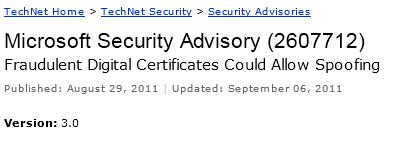
Microsoft have also released an update 2607712 permanently moving all five DigiNotar's root certificates to the Certificate Revokation List whihc provides protection to all Windows versions.


DigiNotar Root CA

DigiNotar Root CA G2
DigiNotar PKIoverheid CA Overheid
DigiNotar PKIoverheid CA Organisatie - G2
DigiNotar PKIoverheid CA Overheid en Bedrijven

Sunday, 28 June 2009

FireFox Memory Leak ..!!! (slow system Performance)


Hi Friends One Very Important System Performance Tip..... to maintain Memory leak. Memory Leak is an unintentional memory consumption or utilization by any program specifically when program fails to release memory when no longer needed

I keep noticing for quite some time that some of the Firefox threads consume lot of memory spaces whihc are not required and slow down your system Performance. This is a known memory leak, and the Mozilla haven't gone around to fixing it for whatever reason (definately they knows better then me:). Any way there no reason that Firefox takes uo 90,000 K in memory,


Sooo My Dear friends here is how i Fix the solution of Firefox Memory Leak and avoid firefox to take over all resources

1. Open a Explorer (firefox) Type "about:config" without quotes into the address bar and hit enter a warning message click i will be care full and promise!!!

2. Right-click on the page, select New, and select Integer. In the dialog prompt type:

browser.cache.memory.capacity

3. Click OK. Another dialog prompt will appear to Enter the value. This is where you decide how much memory to allocate to Firefox.

4. This depends on how much RAM on your computer but I don’t want to allocate too less like 8 MB I tried couple of them on Windows Vista and 16 MB seems good to me enter this value into the dialog prompt:

16384

(However if you want to double that you can go for 32768.)

4. Click OK to close the dialog box, and better to restart......Hope everything will be fine


Have a nice Day
See u Soon